Receive relevant renter briefs.
See what renters need and what they can spend, matched to the areas you cover.
Available after email verification and agency approval, when renters choose to share a matching brief.
Built for renting in the UK
Collect UK rental listings yourself, or notify agents in the area and let them bring homes to you. Keep your search, viewings and life at home together.
Free during beta No card required
Explore the journey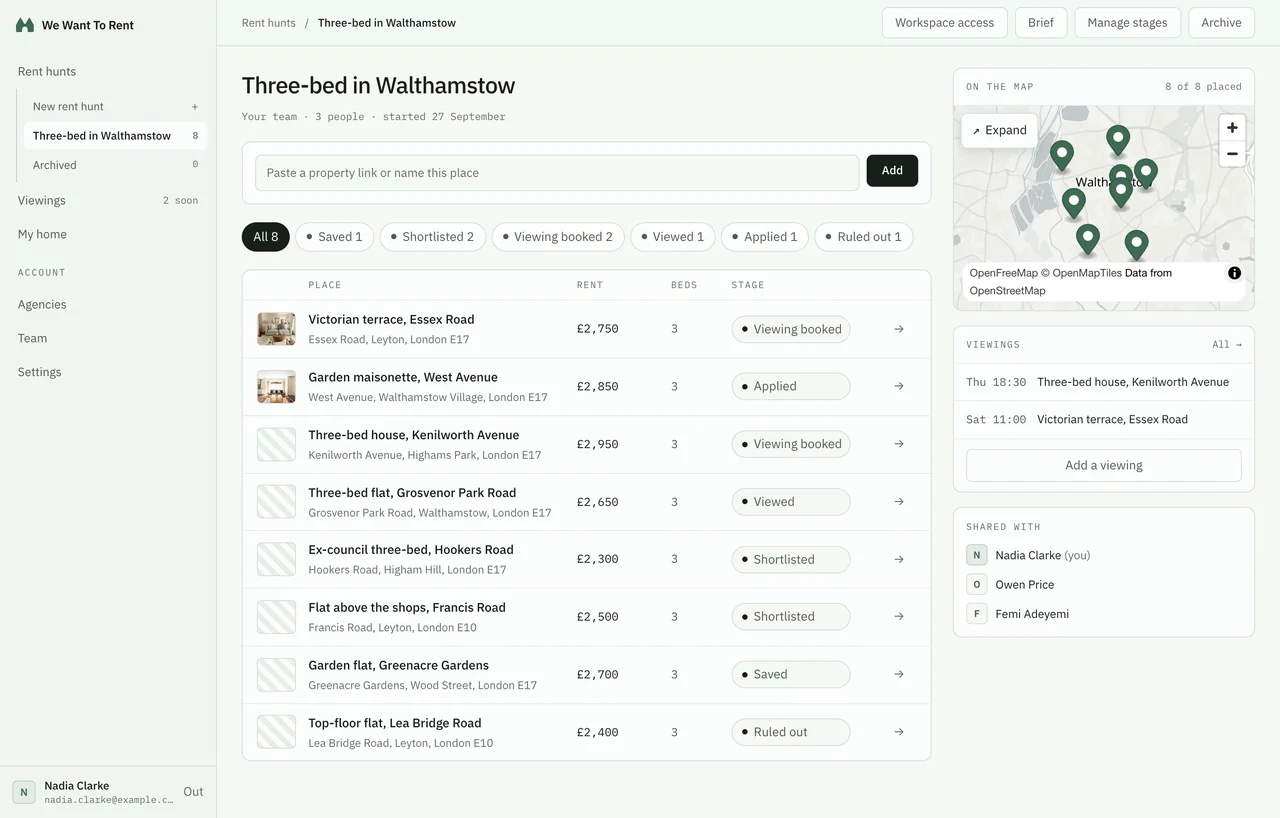
Your search is just the beginning.
Real app screens. Fictional people and properties.
01 Find & compare
Build your shortlist from links you find, properties agents suggest, or both. Compare the possibilities and work out what matters, on your own or together.
Adding your own links? Rightmove and OpenRent can fill the address and map point; you add the other details. Area data is available in enabled locations and is reference information, not a valuation or safety score.
Explore an area02 Agents & viewings
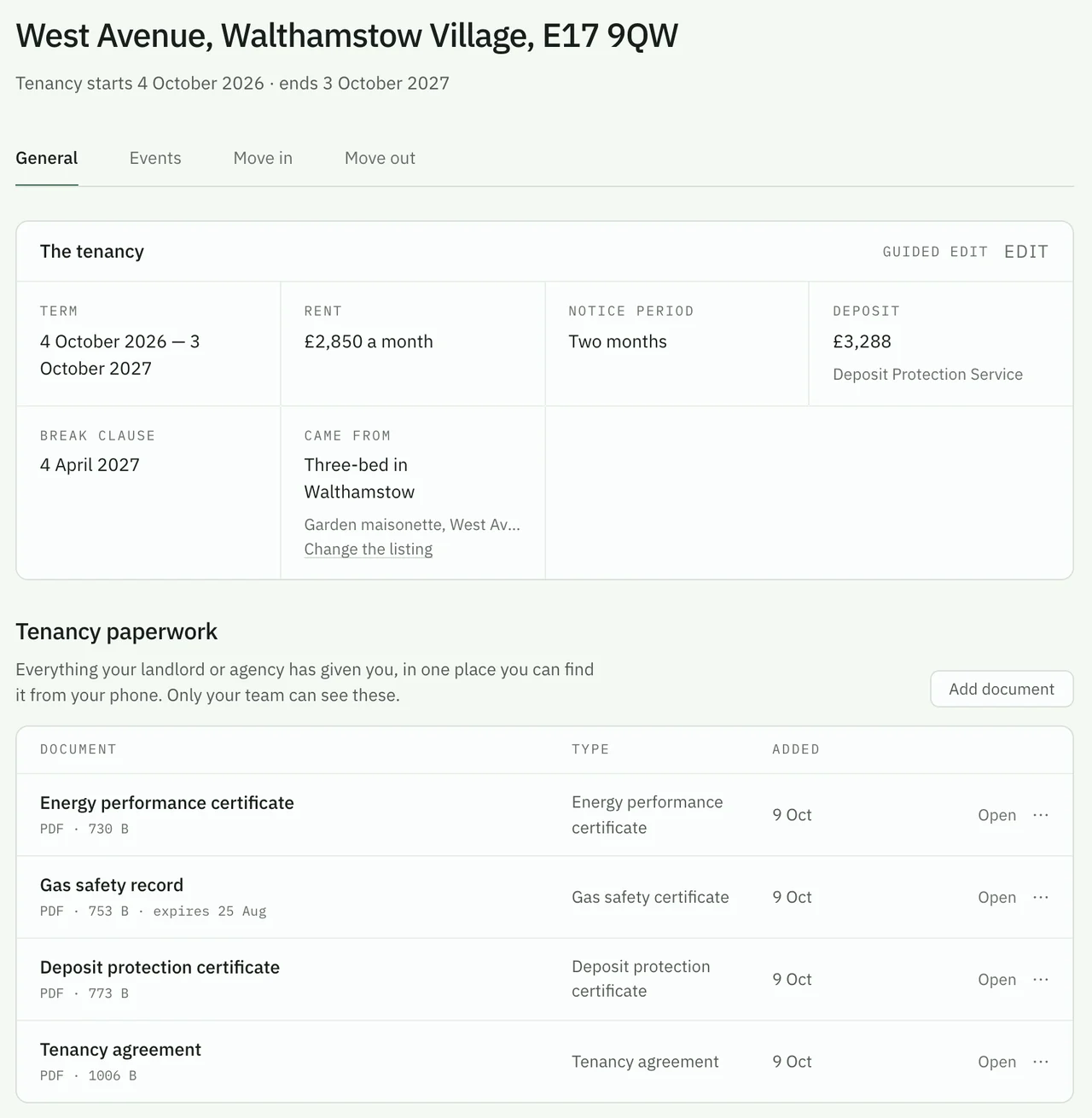
Prefer to leave the search to agents? Use “Notify agents in the area” to share what you need. You can rely on agents’ suggestions, keep collecting listings yourself, or do both.
After you verify your email and choose to share, your brief is visible to approved agents covering the area. Property offers and agency messaging are available on the web and are opening account by account.
Notify agents in the area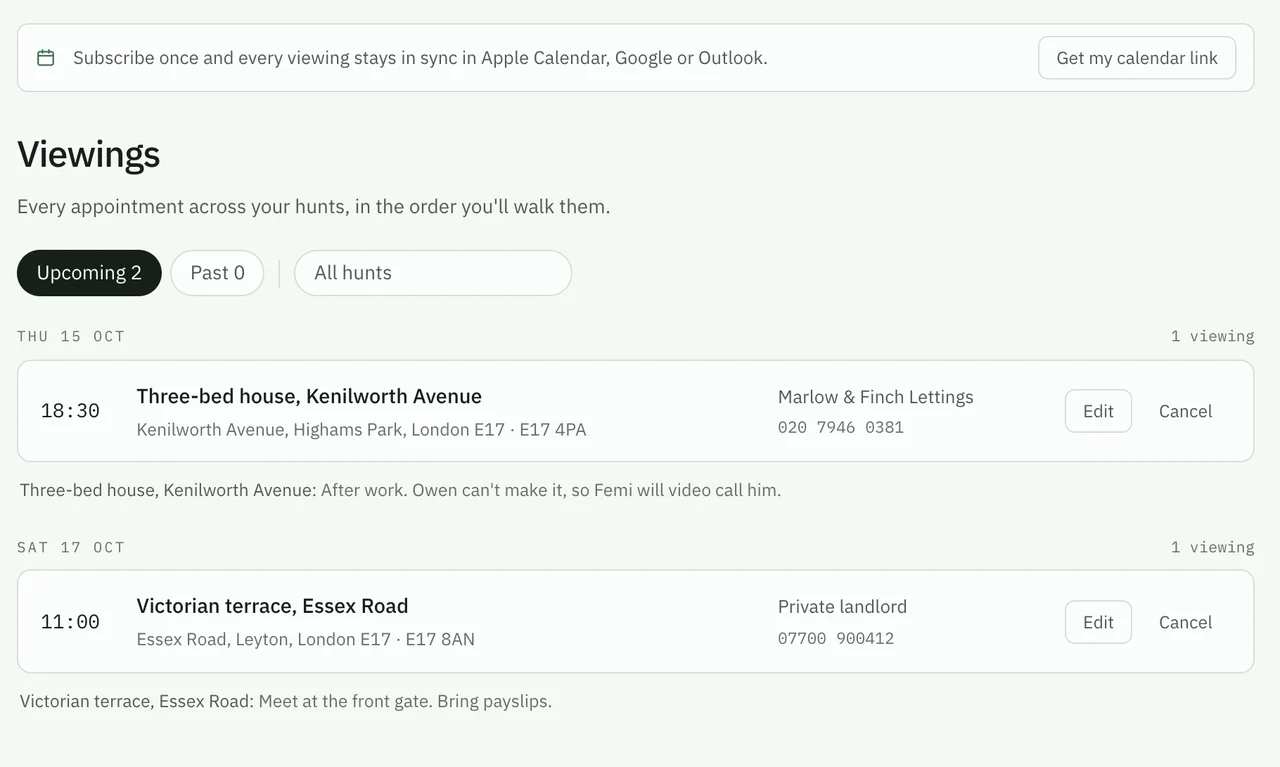
03 Move in
The place you picked becomes your home workspace. Start with a guided setup and make a record of how you found it.
Add your existing tenancy directly. You don’t need to start a rent hunt.
04 Life at home
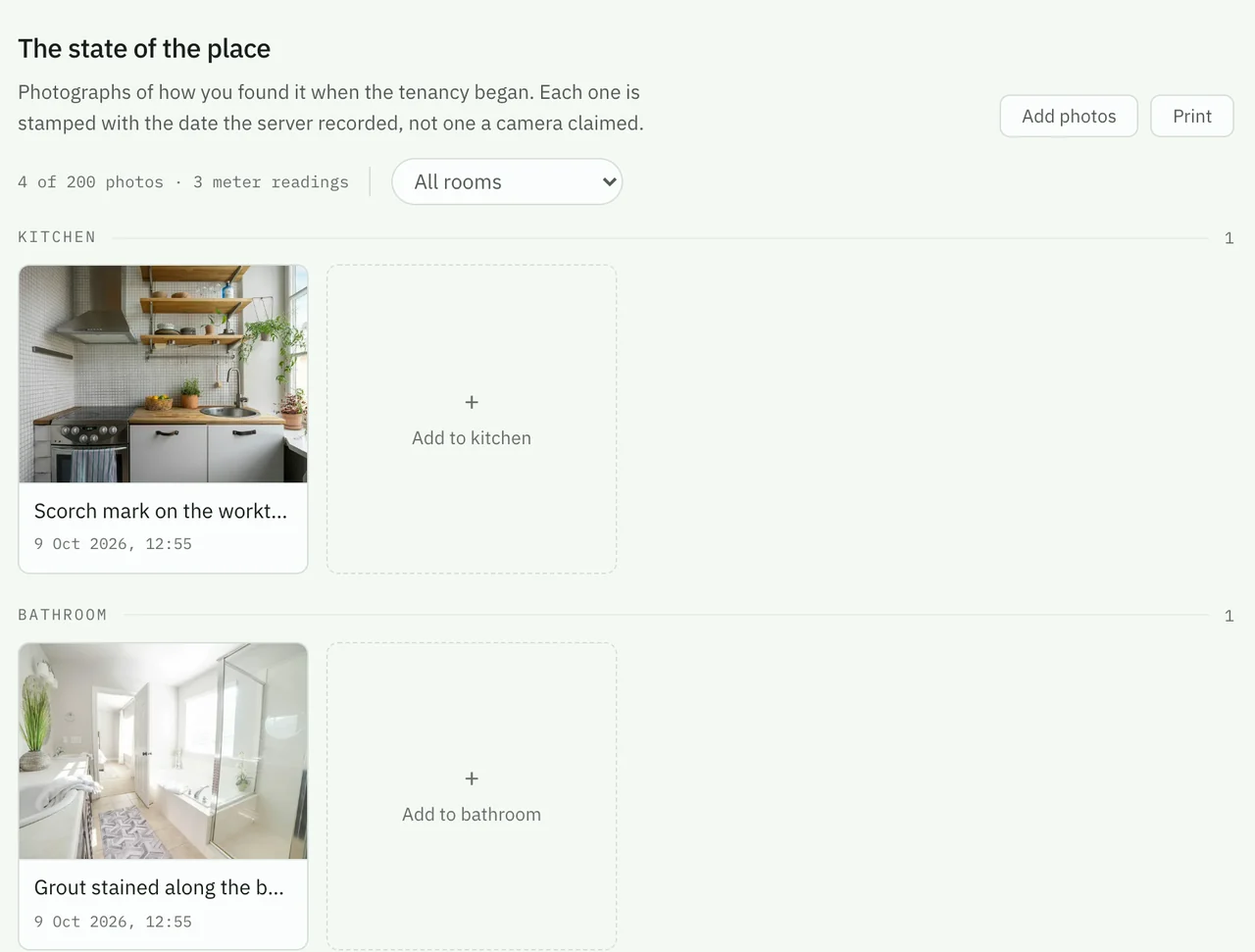
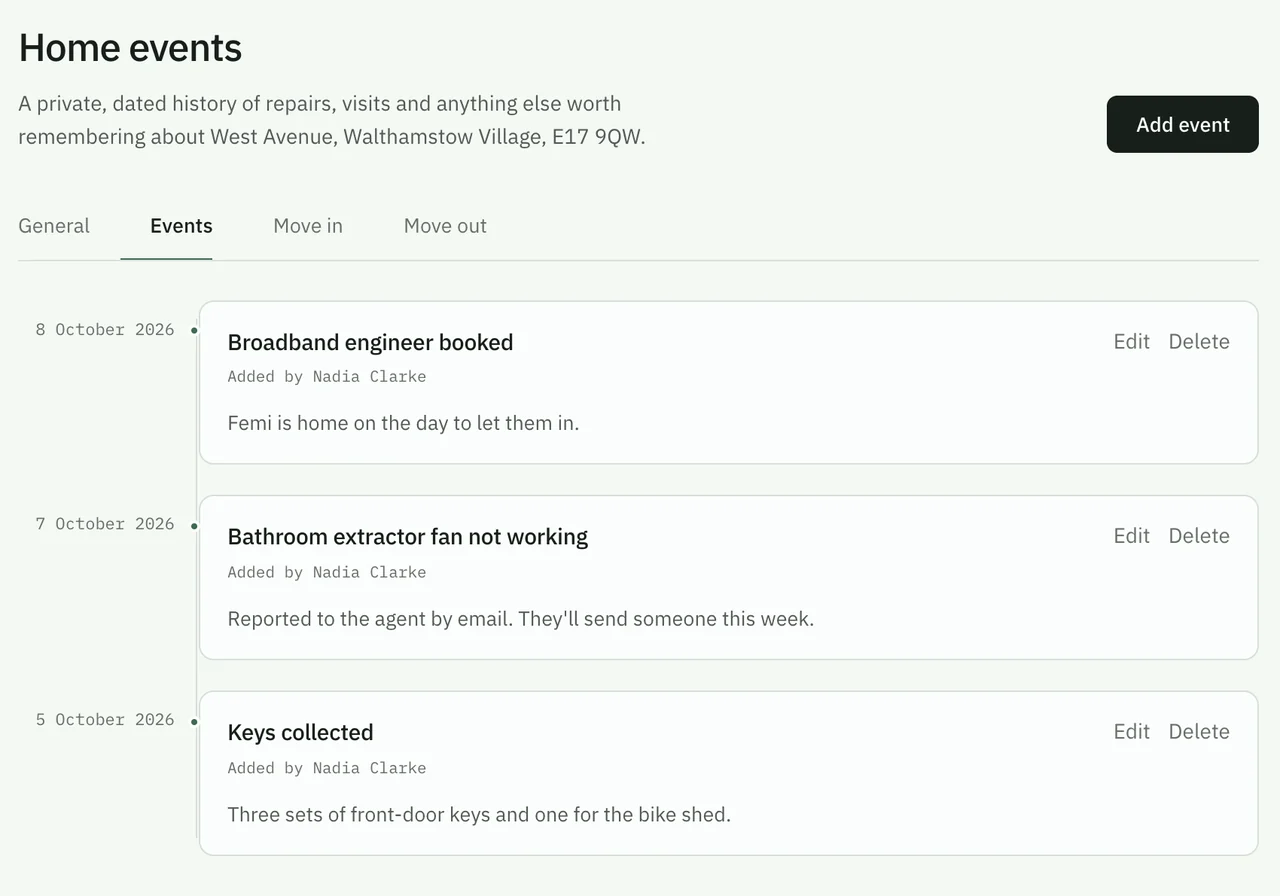
The paperwork, the repair, the date someone came to look at the boiler. Give it all a place you can come back to.
A useful record for today, and for the next time you need to remember what happened.
05 Your next move
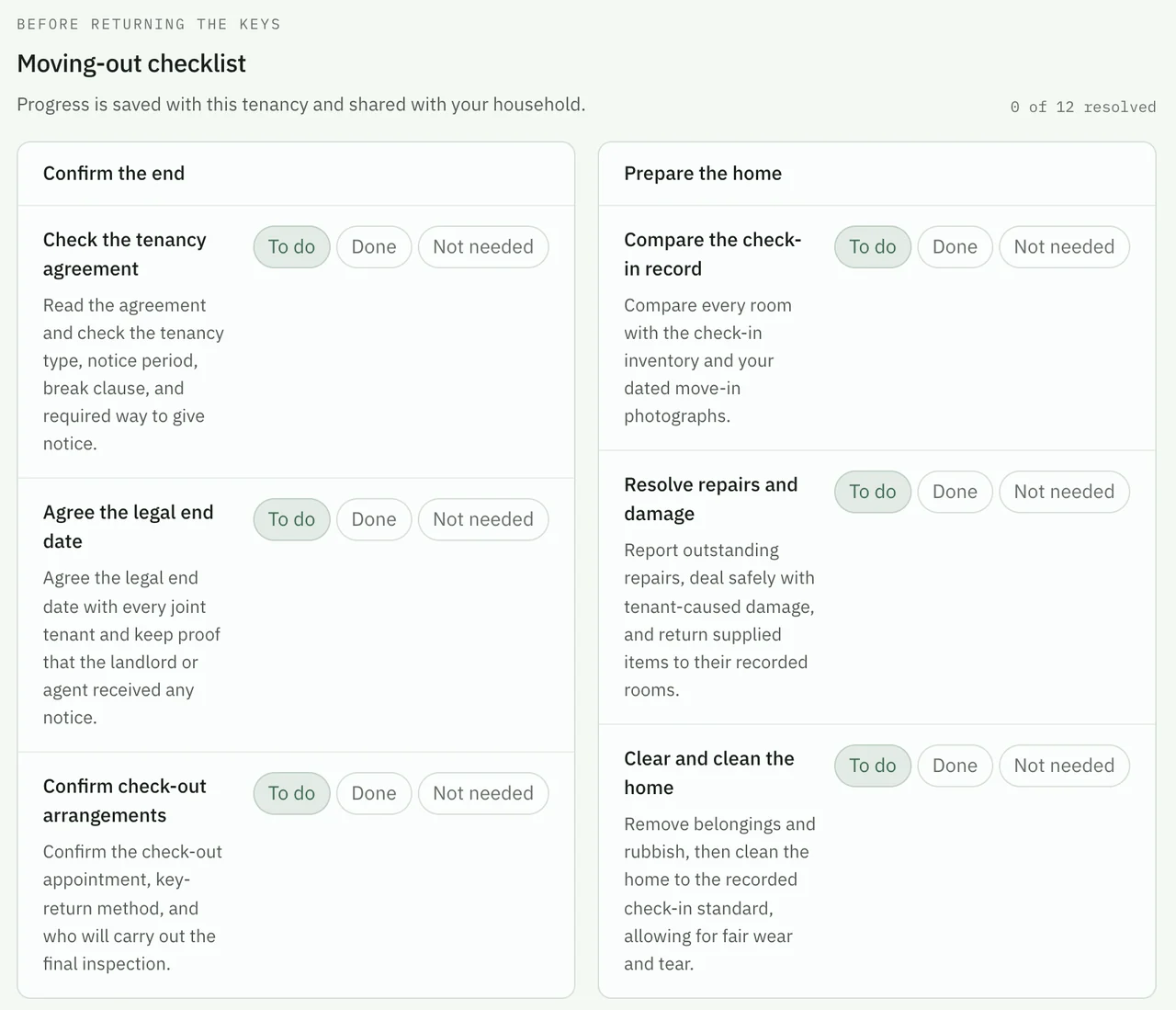
When it’s time to leave, you already have a record of your tenancy. Work through the next steps with your check-in evidence close at hand.
A closer look
Follow one household from saved places and viewings to moving in and life at home. The screens are the real app, with made-up people and places in them.
2:30 · English narration · Captions included
A little help, at every stage
Practical guides, checklists and tools for renting in the UK. Free to read and use, with no account needed.
For UK letting agents
Meet people looking in your areas and give your agency a place in their next move. There’s a workspace for UK letting agencies and independent agents, too.
See what renters need and what they can spend, matched to the areas you cover.
Available after email verification and agency approval, when renters choose to share a matching brief.
Your branding, selected properties and an enquiry form. A place to send your next prospective tenant.
Need a website? Ask about our website pilot. Access requires activation before you choose what to publish.
A ✓ Confirmed directory presence on the postcode pages your agency covers.
Our team must review and link your directory entry to an email-confirmed, approved account. Signup alone does not create placement.
Yes. It is free while we are in beta — no card, and no limit on how many places or people you add to a rent hunt.
Keep your rental search, viewings and tenancy records in one place. Compare saved properties, organise rent hunts, record move-in photos and meter readings, store paperwork, track home events and key dates, and work through moving-in and moving-out checklists.
Yes. You can add your current tenancy directly without starting a rent hunt. Keep its documents, photos, meter readings, home events and key dates together, then use the moving-out checklist when it is time to leave.
No. The renting guides, checklists, comparison spreadsheet, tenant FAQ, postcode explorer and renting journal are public. Create an account when you want to save a rent hunt, share access or keep your own tenancy records.
No. You can collect property links yourself, use Notify agents in the area to let local agents suggest homes, or do both. Share a rental brief with your areas, budget and requirements; after you verify your email and choose to share, approved agencies covering those areas can see it. Property offers and private conversations are available where agency messaging is enabled. The app does not automatically search listing portals.
A Rightmove or OpenRent link can fill its displayed address and map point. Rent, rooms, notes, photos and everything else stay with you. If a portal cannot be reached, the link is still saved and you can place the pin yourself.
Yes. Invite people to your renter team or share a particular rent hunt so you can compare the same places, notes and viewings. Access to a hunt and access to a home are managed separately, so sharing your search does not automatically share your tenancy records.
Use Notify agents in the area to write a rental brief with your preferred areas, budget and requirements, then choose whether to share it with approved agencies covering those areas. Shared briefs do not reveal your name or contact details. Private client conversations, property offers and agency correspondence are available where enabled for your account.
Yes, for iPhone and Android, so you can add a place while you are standing outside it.
Your next chapter starts here
Free during beta · No card required